GetEpic Review 2026: Is Epic Worth It for Kids?
If your child would rather watch a screen than pick up a book, a digital reading library may help make books easier to explore. GetEpic, usually called Epic, brings children’s ebooks, audiobooks, Read-To-Me titles, and learning videos together in one place. But is it worth paying for, and is it right for your family?
The short answer: Epic can be useful for families who want a broad choice of children’s reading material and for eligible elementary educators who need classroom resources. It may be less valuable if your child rarely uses digital books, you prefer print-only reading, or the subscription does not fit your budget. This review explains the features, listed family prices, school access rules, benefits, and limitations.
What Is GetEpic?
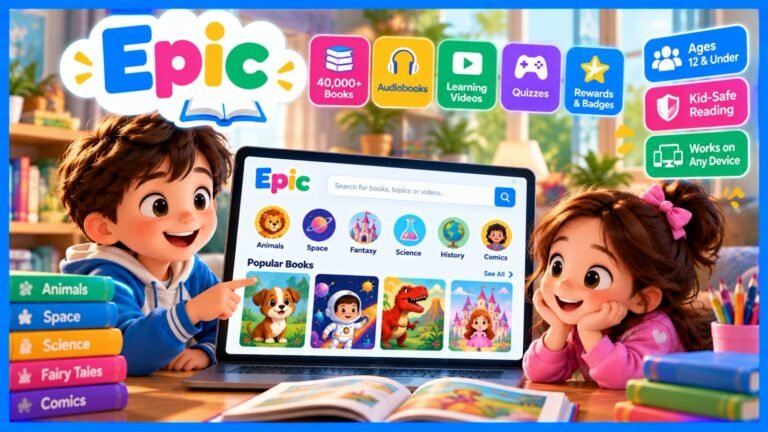
Epic is a digital reading platform designed for children aged 12 and under. Its official website describes a library of more than 40,000 books, audiobooks, and videos from over 250 publishers. The collection includes picture books, early readers, chapter books, nonfiction, and other child-focused content. The catalogue and features may change over time.
Rather than buying each ebook separately, a family subscription gives access to a large catalogue through the service. Children can search for subjects they already enjoy, such as animals or space, and discover new topics. A large catalogue is useful, but it does not mean every title will suit every child’s age, reading level, or interests.
Key GetEpic Features
1. Ebooks for different reading stages
The library includes illustrated picture books, beginner reading material, longer stories, and nonfiction. A younger reader might start with a short illustrated book, while a confident reader may prefer a chapter book or informational title. Parents can preview books and help children choose content that feels interesting rather than overwhelming.
2. Read-To-Me books
Read-To-Me titles combine narration with text on the screen. Epic describes word highlighting that helps children follow along while listening. This may help early readers connect printed words with spoken language. It should support reading practice, not replace every chance to read with an adult or independently.
3. Audiobooks
Audiobooks let children listen without needing to follow the printed page. They can be useful during quiet time or travel and offer another way to enjoy stories. Listening and reading are related but not identical activities, so families can combine audiobooks with printed or on-screen reading.
4. Reading tools and progress features
Epic promotes tools such as Reading Buddies, badges, and reading-progress information. These features may encourage children to keep exploring books and help parents notice what their child chooses. They are not a formal assessment of reading ability. If a child struggles with comprehension or decoding, a teacher or reading specialist can provide more tailored guidance.
5. Parent tools and offline reading
Epic’s parent information describes child profiles, reading activity tools, and downloads for offline use on supported devices. Offline access is convenient for journeys or places with unreliable internet. Check the app and account instructions before travelling, because availability can depend on device, title, and current plan.
GetEpic Pricing in 2026
At the time of research, Epic’s official plans page displayed a 7-day free trial and two family billing options: $7.25 per month when billed annually at $84.99 per year, or $13.99 billed monthly. These are the prices shown on the official page during research. Promotions, taxes, regional availability, and future changes may affect the amount shown at checkout.
| Option shown | Listed price | What to check |
| Annual billing | $84.99/year (displayed as $7.25/month) | Full annual charge and renewal date |
| Monthly billing | $13.99/month | Monthly renewal and cancellation terms |
| Free trial | 7 days, where offered | When billing begins and how to cancel |
Before starting a trial, read the checkout screen carefully. Confirm the amount charged, billing interval, renewal date, and cancellation process. Do not rely on an old blog post or screenshot for current pricing. Official plans: https://www.getepic.com/plans
Is Epic Free for Teachers?
Epic School is free for eligible elementary-school teachers and elementary-school librarians, subject to Epic’s eligibility and use rules. Epic’s Help Center says this version is intended for in-person elementary classrooms or school libraries. Its guidance describes student access through class codes during school hours, generally Monday to Friday, 7 a.m. to 4 p.m. in the local time zone on school days.
This is not the same as unlimited free family access at home. Families who want access outside the school arrangement should review Epic Family’s current plans. Epic School Plus is a separate paid offering for schools and districts that need broader access. Educators should check the official educator page and support articles for current terms.
Epic Family vs. Epic School
| Option | Designed for | Important detail |
| Epic Family | Parents and children reading at home | Subscription terms apply; check current plans. |
| Epic School | Eligible elementary teachers and school librarians | Free access follows eligibility and school-use rules. |
| Epic School Plus | Schools and districts | Paid option; confirm current pricing with Epic. |
Main Benefits of GetEpic
- Variety: children can explore fiction, nonfiction, audiobooks, and read-aloud formats in one service.
- Choice: children can follow their interests rather than rely only on assigned books.
- Flexible access: supported devices and offline downloads may help at home or while travelling.
- Shared reading: parents can listen or read alongside children and discuss the story.
- Classroom use: eligible educators can use Epic School within its current school-use rules.
Limitations to Consider
It is a subscription, not a permanent free family library
A trial is temporary, and family access may renew as a paid subscription. Review checkout and cancellation terms before entering payment details. If cost is the deciding factor, compare Epic with school libraries, public libraries, and free reading resources available in your area.
A large catalogue can still require guidance
More choice does not automatically make book selection easier. Younger children may need a parent to narrow the options. Preview content, look at the vocabulary, and choose books that match the child’s interests and reading confidence.
Screen habits still matter
Epic makes reading available on a screen, but families should decide when and how long to use it. Balance digital reading with printed books, outdoor play, conversation, and other activities. The service cannot guarantee better reading outcomes for every child.
Access rules differ by account type
A teacher’s Epic School account follows different rules from a family subscription. Students may need a classroom code, and school access can be restricted to school hours. If access stops working, confirm the account type and current official instructions.
How to Decide If Epic Is Worth It
Before subscribing, ask yourself:
- Does my child enjoy digital books or read-aloud stories?
- Will we use the library often enough to justify the price?
- Have I checked the current trial, renewal, and cancellation terms?
- Can I help my child choose age-appropriate titles?
- Would a school or public library meet our needs without another subscription?
For example, a child who listens to stories on family trips and reads several books each week may get more value from a digital library than a child who prefers one printed book at bedtime. The best choice depends on actual use, not simply the number of titles advertised.
Some schools and districts pay for a separate upgrade called Epic School Plus. This version gives students 24/7 access to the full 40,000+ title library, even outside school hours and offline.
If a student’s family already pays for the regular Getepic subscription, that access stays separate. It doesn’t require the teacher’s class code at all.
Is Getepic Safe for Kids?
Safety is a real concern for any kids’ app, so it’s worth checking closely.
Getepic does not show ads to children and has no in-app purchases inside the kid experience. The platform says it follows COPPA and FERPA rules, which cover children’s online privacy and student data protection in the US.
Content is curated, not open to public uploads. That means your child won’t stumble onto random or inappropriate material the way they might on a general video or ebook app.
Parents and teachers do still get login access to monitor activity, which adds another layer of control.
Pros and Cons of Getepic
No app is perfect. Here’s an honest look at both sides.
What works well:
- Huge library from trusted publishers
- Free for teachers and classrooms
- No ads or in-app purchases
- Offline reading and read-aloud mode
What to watch for:
- Full family access requires a paid subscription after the trial
- Some users report trouble canceling a subscription, so check your account settings carefully before signing up
- A handful of app reviews mention login errors on certain devices
Weighing these points before you sign up saves you a headache later.
Practical Tip for Parents and Teachers
If you’re starting fresh, don’t let your child browse randomly for the first week. Pick 3 to 5 series that match their interest and reading level first. Popular series on Epic include Dog Man, National Geographic Readers, and the Who Would Win? nonfiction books. Starting with a short list builds confidence before they explore the full digital library on their own.
Getepic FAQs
Is Getepic completely free?
No. Getepic offers a free trial for families, then moves to a paid monthly or yearly plan. Teachers get free classroom access through Epic School.
What age group is Getepic for?
Getepic is built for kids 12 and under, with content ranging from toddler picture books to middle-grade chapter books.
Can I cancel my Getepic subscription anytime?
Yes, but some users report confusion during cancellation. Check your account billing settings directly and confirm the cancellation by email before the next billing date.
Does Getepic work without internet?
Yes. The app lets you download books in advance, so kids can read offline during travel or at home without Wi-Fi.
Is Getepic the same as Epic School?
Not exactly. Epic School is the free teacher version with weekday-only access. The regular Getepic subscription gives families 24/7 access year-round.
If you’re deciding whether to try it, start with the free trial, test it with your child for a week, and see if the reading habit sticks before you commit to a paid plan.
This is an independent guide and is not official. Always confirm current pricing and policies on the official Getepic website.
Explore More: