How Do You Do Epic Login as a Student, Parent, or Teacher
Your child is ready to read, but the Epic login screen is asking for something you don’t have. Sound familiar? Good news: it takes about a minute once you know which button to tap.
This is an independent guide. For your account, always use the official site, getepic.com.
What is Epic?
Epic is a digital library for kids. It has books, audiobooks, and read-to-me titles. Teachers, parents, and students each use it a little differently, so each has its own way to sign in.
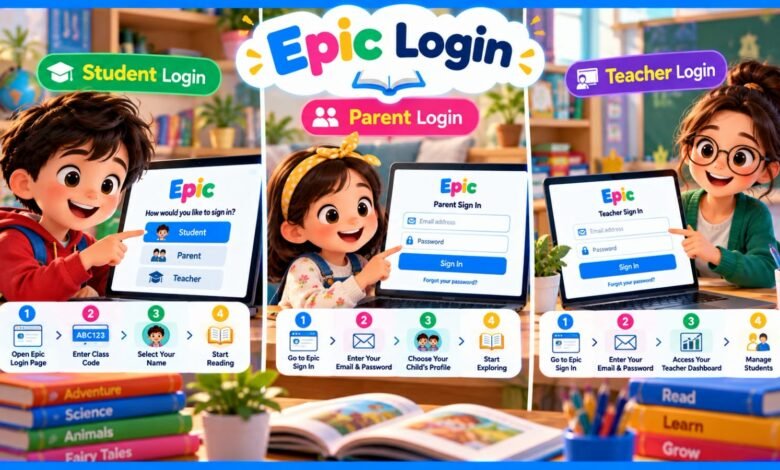
How to do Epic student login
Students do not need an email. They need a class code from their teacher.
- Open getepic.com/sign-in or the Epic app.
- Choose Student (in the app, tap “Have an account?” and then Students and Educators).
- Type the class code.
- Tap your name from the class list.
Your teacher can find the class code in the top right corner of their Epic screen.
How to do Epic parent login
- Go to getepic.com/sign-in.
- Tap Parents.
- Enter your email and password.
- Pick your child’s profile.
If your child’s teacher invited you, use the same email address that received the invite. Otherwise, your child’s classroom may not connect to your account.
How to do Epic teacher login
Teachers sign in with an educator account, using email and password. Epic offers its school version free to elementary school teachers and librarians. From the dashboard you can add students, assign books, and check reading progress.
What if you forgot your password?
- On the sign-in page, tap Forgot your password?
- Enter your account email.
- Open the reset email. If it hasn’t come in 15 minutes, check spam or junk.
- Set a new password.
Epic login not working? Try this
- Class code not working: Check for typing mistakes and ask your teacher for the current code.
- Blank book pages: A school firewall may be blocking some Epic content.
- App problems: Update the app, or try a different browser.
- After-school message: Free student access is meant for school hours. Outside those hours, a parent may need to sign in with a family account.
Still stuck? Epic’s help center is at support.getepic.com.
Is this the same as Epic Games login?
No. Epic Games is a gaming company with its own site, epicgames.com. This guide is only about the Epic reading app.
FAQs
Is Epic login free for students?
Students can read free during school hours with a teacher’s class code. Family access at other times needs a subscription.
Do students need an email to log in?
No. A class code and their name are enough.
Can many devices use one teacher account?
Yes. Epic says any number of devices can be signed in to the same educator account.
Sources used: Epic Help Center (support.getepic.com), Epic sign-in instructions from school websites.
Explore More: